The morning look.
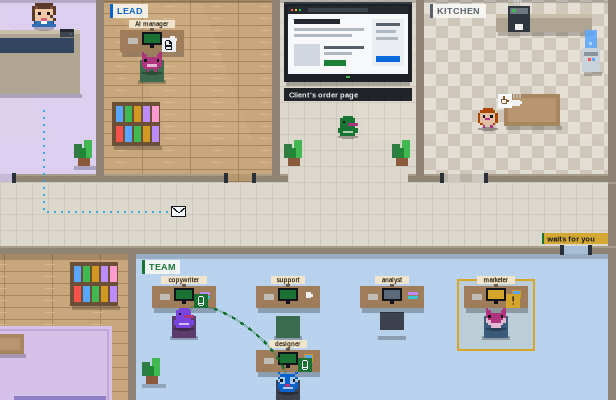
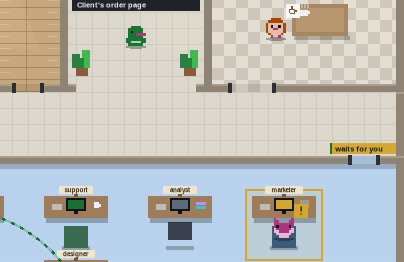
You open the office with your coffee: three agents at their desks, the analyst in the kitchen, and a yellow frame on the marketer’s desk.
You: answer the marketer’s question from the side column, and the work goes on.
Who is working, who is on a call, who is having tea, and who is waiting for you. The Virtual office draws your team as an office floor: every agent at its own desk, live, as the work goes. One look tells you more than a list of states.

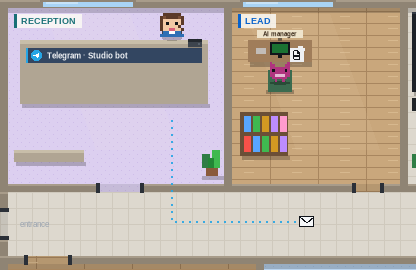
The Virtual office: desks at work, a yellow frame where an agent waits for you, a call between two desks, a message arriving at reception. Sample data.
Without the office
You open the list of agents and read the states one by one. Questions to you sit in different chats. A stuck agent shows up only when the work is late.
With the office
One look at the floor. Agents at their desks are working, a yellow frame marks the desk that waits for you, an empty chair is pushed in. Click a desk and that agent’s chat opens.
You open the office with your coffee: three agents at their desks, the analyst in the kitchen, and a yellow frame on the marketer’s desk.
You: answer the marketer’s question from the side column, and the work goes on.
The copywriter and the designer are on a call: handsets and an arc between their desks. In the screen hall you see the live browser tab where an agent checks the shop page.
You: watch the work without stopping anyone.
A client writes to your Telegram bot. The message comes in at reception and flies as an envelope to the support agent’s desk.
You: see at once if anything waits at the door.
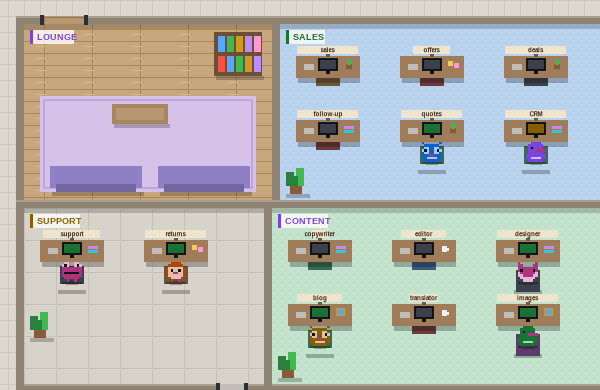
Ask the AI manager to set up departments: Sales, Content, Support, each with its own color and its roles. The office rebuilds the rooms at once.
You: or name the rooms yourself.
The office only shows what your team is doing; it changes nothing in the work.
Point at an agent to see its name, role, state and task. Click it to open its window: the chat, the terminal and the files.
On full screen, a side column lists who works, who waits and who sleeps, your subscription limits and the tasks in progress. Questions to you come with an “Answer” button.
Press “Virtual office” in the top bar or on the team page.
“In a separate window” opens the office in its own browser window, next to the app.
Name the departments, pick their colors and say which roles sit where, or ask the AI manager to do it.